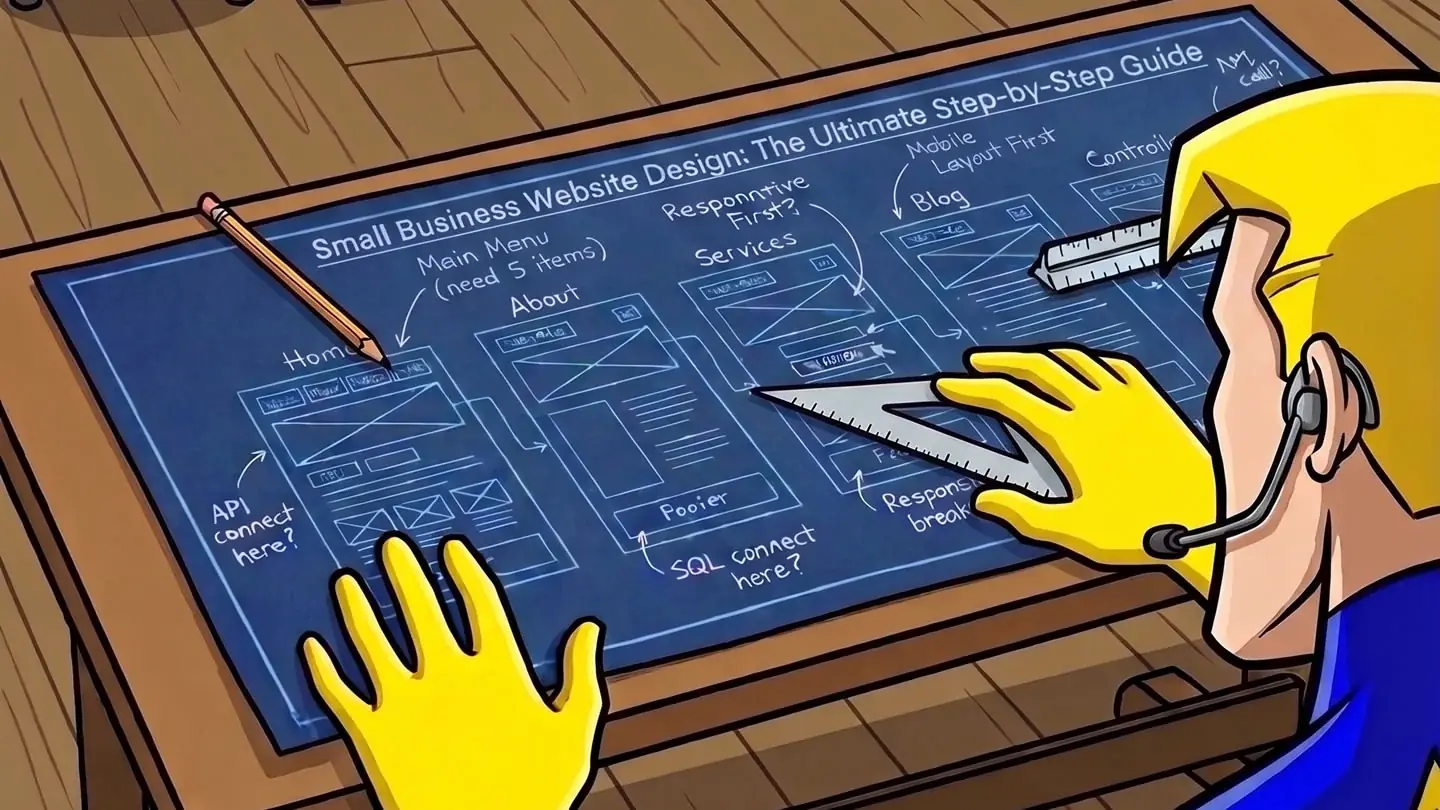
Small Business Website Design: The Ultimate Step-by-Step Guide
Key takeaways
- Your homepage is a hook, not a brochure: in five seconds it should say who you are, what you do, and how to reach you.
- Service pages are your proof: list the work in the exact words customers Google, granular instead of vague.
- Your about page builds trust with a real face and a real story. Treat it as a conversion page, not a resume.
- The contact page is one of your most-visited, so make saying yes effortless: a short form and a tap-to-call number.
- A wildcard fifth page earns its keep. Pick the one your buyer needs: an FAQ, a service-area page, or a "how it works."
- Online and complete beats perfect and unfinished. A live, trustworthy 5-page site is the one that wins the customer.
Why most small business websites never get finished
Here's how it usually goes. You decide it's finally time to get a website. You sign up for one of those drag-and-drop builders, pick a template that looks pretty good, and a little clock starts ticking somewhere: 30 days free, then your card gets charged.
Day one feels great. You drop in your business name, swap the stock photo for one of your van, change the colors to something close to your truck wrap. The homepage starts to look like a real thing. You're flying.
Then you click over to the "About Us" page. There's a blank box. It says something like "Tell your customers your story."
And you just sit there.
This is the wall. The buttons, the fonts, the layout: none of those stop you. What stops you is writing about your own business in words that sound right. You know your trade cold. You can turn a weed patch into a clean lawn in your sleep or cut a fade with your eyes closed. But describing that in a paragraph that doesn't sound either braggy or boring? That's a different skill, and nobody ever taught it to you.
So the tab stays open for a few days. Then a few weeks. The trial clock runs out, you tell yourself you'll get back to it, and the half-built site quietly disappears. Most "I should make a website" projects die right there, in that blank About box. The owner isn't lazy. Writing about your own business is genuinely hard, and the builder dressed that problem up as a design tool.
I want to get you past that wall, and I want to keep it simple.
The whole secret is small: your website is five separate pages, and each one has exactly one job. When a page has one job, you always know what goes on it, and the blank box stops being scary because the question gets small. "About Us" is huge and vague. "Write three sentences so a nervous first-time customer feels okay calling me" is something you can actually answer.
This guide walks you through all five, one job at a time, with real examples for real trades. By the end you'll have a site you can finish, not another tab you abandon.
And the writing part, the part that stops most people cold? That's exactly the piece Herosite hands to the AI, so you answer a few friendly questions and it writes the pages for you. More on that later. For now, let's build.
The 5 pages a small business actually needs
Five pages, fully written, beats fourteen pages half-finished. Always.
Here's the trap. Most builders hand you a blank fifteen-page template, and you start strong on the homepage, slow down on services, and quit somewhere around "Meet the Team." Six months later you're still "almost ready to launch." A page that says "Coming Soon" is worse than no page at all. It tells a customer you don't follow through.
So aim for five. Five pages do the entire job of a local business site, and each one answers a specific question running through your customer's head.
Homepage: can I find you, and am I in the right place? This is where people land from a Google search or your business card. In the first screen it says what you do, where you do it, and how to reach you. A gardener in Tucson should see "lawn care" and "Tucson" before they scroll.
Services: are you actually good at the work I need done? One clear section per thing you offer. Skip "solutions" and name the real jobs: weekly mowing, hedge trimming, leaf removal. People search for the specific job they need done, and this is the page that matches their words back to them.
About: are you a real person I'd let into my house? Hiring a local business is a trust decision. A photo of you, how long you've been doing this, why you started. Two honest paragraphs beat a stock photo of a smiling stranger. This is the page people read right before they call.
The wildcard: whatever closes your specific sale. Pick the one page that answers the last hesitation in your trade. Reviews and photos for contractors. A menu for a cafe. Pricing for a service with sticker shock. An FAQ for the questions you answer on every call. You know the objection because you hear it every week.
Contact: how do I reach you, right now? A phone number people can tap, your service area, your hours, a short form. Make it the easiest page on the site. A buried phone number costs you real jobs.
That's the whole map. Get found, prove the work, prove you're human, kill the last doubt, make the call easy.
You can always add a page later when you have a real reason for it. You don't need a blog or a gallery of fifty projects to land your first customer. Start with five that are live and complete today. A finished site that's working for you tonight is the one that books the job.
Let's take them one at a time, starting with the page everyone sees first.
Page 1: the homepage (the hook)
Your homepage gets about five seconds. A visitor lands, glances, and decides whether you can help them or whether they're hitting back to the next result. So your homepage has one job: tell them what you do, who you do it for, and how to act. That's it.
Start with the headline above the fold, the part people see before they scroll. Say what you do, who it's for, and where you do it, in plain words. "Mobile dog grooming that comes to your driveway in Tampa." "Emergency plumber for burst pipes and water heaters across Boise." "In-home personal training for busy parents in Denver." Read those out loud. A stranger knows in one breath whether they're in the right place.
Compare that to the headline I see most often, and it's the number one mistake: something clever and vague. "We bring your vision to life." "Quality you can trust." "Your partner in excellence." Nobody types those into Google, and nobody can tell what you sell. A homeowner with a burst pipe at 11pm is searching "emergency plumber near me." Your headline should answer the words a real customer types, because those are the words running through their head when they land.
Then give them one obvious thing to do. One primary call to action, big, near the top, impossible to miss. For most service businesses that's a tappable phone number ("Call now: 555-0148") or a single button that says "Get a free quote." Pick the one your customers actually use. Someone with a flooded basement wants to call right now. Someone planning a spring garden makeover is happy to fill out a short form. Don't offer five buttons of equal weight. When everything is a call to action, nothing is.
Right under that, earn a little trust before they have to dig for it. A couple of honest signals do the work:
- Years in business: "Grooming dogs since 2009."
- Service area: "Serving Tampa, Brandon, and Riverview."
- A review line: "4.9 stars from 200+ neighbors" or one short quote with a real first name and town.
You don't need a wall of badges. Two or three specific, true facts beat a vague promise every time. "Licensed and insured" matters for a plumber or an electrician, so put it where they can see it.
Now the hard part: leave things out. Your homepage is not your life story, and it does not need a list of every service you've ever offered. The instinct is to cram, because you're proud of all of it. But a crammed homepage buries the one thing the visitor came for. The gardener leads with lawn care and the town, then links deeper for hedge trimming, mulching, and seasonal cleanup. The homepage points the way; the inside pages hold the detail. Give people one clear path.
A quick gut check: cover the top of your homepage with your hand so only the headline and button show. Could a stranger tell what you do, who it's for, and how to reach you? If yes, the hook works. If you're squinting, it's too clever or too crowded.
Page 2: the services page (the proof)
Your homepage made a promise. Your services page proves you can keep it.
This is where a customer decides you're the real thing. And it's where Google decides whether to show you at all. Both of those hang on one habit: name the actual work, in the actual words people search.
Most owners write one page called "Services" with a paragraph that says something like "We offer quality lawn care solutions for all your needs." That page ranks for nothing. Nobody types "lawn care solutions" into Google. They type "weekly lawn mowing," "hedge trimming," "fall leaf removal," "sod installation." Each of those is a different customer with a different job and a different budget.
So give each one its own space.
List your work granularly. Break "lawn care" into the ten jobs you actually get called for: weekly mowing, spring cleanup, hedge trimming, mulching, aeration, leaf removal. A wedding photographer breaks "photography" into "engagement sessions," "full-day wedding coverage," "elopement packages," and lists what's in each one: hours of shooting, number of edited photos, a second shooter, the album.
Here's why this beats the big guys. A national directory like Yelp or Angi is a mile wide and an inch deep. It can't write three honest paragraphs about spring lawn cleanup in your specific town. You can. Google rewards the page that answers the exact question, and for "spring lawn cleanup [your city]," a real local gardener who actually does that job can outrank a billion-dollar directory. Specificity is the lever a small business gets to pull that a giant can't.
Structure every service the same way, so it's easy to scan:
- What it is. Plain words. "We mow, edge, and trim, weekly or every other week, and haul the clippings."
- Who it's for. "If you'd rather spend Saturday with your family than behind a mower, this is for you."
- The outcome. What they get and roughly how it goes. "You come home to a sharp, clean yard with nothing left for you to bag or sweep."
- A way to act. End each service with its own call to action: "Call for a quote" or "Book a visit." Don't make someone scroll back to the top to find your number.
Take a real one. A gardener writes a short block for "spring cleanup":
Your yard took a beating over winter: matted leaves, dead growth in the beds, weeds already moving in. We cut it all back, clear and edge the beds, give the lawn its first mow, and haul every bag away the same day. Serving Mesa and Gilbert. Call (480) 555-0118 to get on the spring schedule.
Four sentences. It names the mess the customer is looking at, says exactly what gets done so the gardener sounds like they know the work, sets the expectation, and asks for the call. That single block can rank, convince, and book all on its own.
The number one mistake is the vague paragraph that tries to cover everything and connects with no one. Ten honest service blocks beat one polished blur every time.
Page 3: the about page (the trust)
A stranger lands on your about page with one question: is this person real, and can I trust them with my money? Your job is to answer yes before they hit the back button. This is where the sale gets made or lost, so write it like a conversion page, not a resume.
Start with your face. A real photo of a real person, you at your workbench, you behind the counter, you with your truck. Skip the stock model in a headset and the logo blown up large. People buy from people, and a stranger relaxes the second they see who they'll actually be dealing with. If you have a team of three, show the three of you. If it's just you, that's a strength, say so.
Then tell them where you're from. "Born and raised in Lansing, been keeping the east side's lawns sharp for twelve years." Local roots do quiet work. They tell a customer you're not going to vanish, you have a reputation to protect, and you understand the area. A gardener who knows which streets have heavy clay soil and which yards flood every spring is a gardener worth calling.
Now the part most owners skip: why you started. This is the line that turns a vendor into a human being. Maybe you took over your dad's bakery. Maybe you spent ten years cleaning offices for a company that treated people like numbers and decided to do it better on your own. Two honest sentences about why you do this beat a wall of certifications every time. The certifications can go at the bottom. The story goes up top.
Here's a real one. A family bakery in a small town wrote: "My grandmother started this bakery in 1971 with one oven and her mother's bread recipe. I'm the third person to run it, and I still mix the dough by hand every morning before the sun's up." Forty words. You already trust them. You can almost smell the place. Compare that to a one-person cleaning service that wrote: "We are a leading provider of comprehensive cleaning solutions for homes of all sizes." That sentence could belong to anyone. There's no human in it, no town, no reason. A stranger reads it and feels nothing, then leaves.
That stiff corporate voice is the number one mistake on small business about pages, and it's the easiest to fix. You are not a "leading provider." You're Maria, and you've cleaned houses on the west side for nine years. Write like that.
Close with the promise you make every customer. One sentence. "If your sink's still leaking when I leave, I come back for free." That's the kind of line a customer remembers and repeats.
The good news: you don't have to write any of this from a blank page. You answer a few friendly questions, the kind you'd answer over coffee, and Herosite's AI shapes your answers into the story above. You bring the truth about your business. The page that earns the trust gets written for you.
Page 4: the wildcard page (choose your superpower)
Here's the thing about day one: you have no reviews. No testimonials, no "trusted by 200 customers," none of it. That's fine. Everybody starts at zero, and a page begging for reviews you don't have yet just looks sad. So skip the empty trophy case and put your fifth page to work doing something real.
You've got three strong options. Pick the one that matches how your customer actually shops.
Option A: an FAQ page
If people call you with the same five questions every week, those questions belong on a page.
An FAQ answers the objection before it stops the sale. "Do you charge for estimates?" "Are you licensed and insured?" "How fast can you get here?" Every honest answer you give removes a reason to close the tab and call someone else.
There's a search bonus too. People type whole questions into Google ("why is my water heater leaking from the bottom"), and an FAQ page is built out of exactly those questions, in their words. You can also mark your answers up with FAQ schema, a bit of invisible code that spells out for search engines and AI assistants that the page is a set of questions and answers. Google used to show those as dropdowns in the results and has mostly pulled them back, so don't count on the snippet. The reason to do it now is that it makes your answers easy for a machine to read and repeat, which matters more every year. Herosite adds that markup for you, so you don't touch code.
Best for an emergency trade. A 24-hour water heater repair company wins by answering "how much does it cost to replace a water heater" and "do you come out on weekends" before the panicked homeowner even calls.
Option B: a service-area page
If your work is tied to where people live, this is your local-SEO magnet.
A service-area page names the towns, neighborhoods, and zip codes you cover. When someone searches "lawn care in Maple Grove," Google needs to understand that you serve Maple Grove, and spelling it out in plain words on a real page helps you turn up in those regular search results. The map pack, that little block of three businesses with the pins at the top, is a separate thing: it's driven mostly by your Google Business Profile, your reviews, and how close you are to the person searching (there's a section near the end on claiming and tuning that listing). The page and the profile work as a pair.
Name real places. Skip "the greater metro area" and list the suburbs. Mention the landmark neighborhoods. If you'll drive 30 minutes for the right job, say which towns that covers.
Best for a local service business with a delivery radius. A gardener covering the north side of a city lists every suburb by name and starts showing up the moment a homeowner two towns over searches for help.
Option C: a "how it works" page
If hiring you feels like a big, scary decision, walk people through it.
Some purchases make a first-time buyer nervous. They've never hired a contractor, never booked a wedding photographer, never signed up with a personal trainer, and they don't know what happens after they say yes. A "how it works" page lays it out in three calm steps: this is what you do, this is what I do, this is what you get.
Here's a roofer's version, concrete enough that a homeowner can picture the whole job:
- Free inspection. I climb up, check the whole roof, and send you photos of what I find within 24 hours.
- A written quote. One fixed price, the materials named, and a start date. No "starting at," no surprise on the invoice.
- The work. We tear off, replace, and haul away the mess in a day or two, then walk the yard with a magnet for stray nails before we leave.
Three steps. That's the magic number. It feels doable. Six steps feels like homework.
Best for a high-consideration service where trust is the whole sale. A wedding planner uses "how it works" to take the fear out of handing a stranger the biggest day of your life, and that calm is often what gets the booking.
So which one?
Match the page to the moment your customer is in. Panicked and ready to buy? FAQ. Searching by location? Service area. Nervous and weighing it? How it works.
Pick one, do it well, and you can always add the others later as your business grows.
Page 5: the contact page (the easy yes)
This is the page people open when they've already decided. They liked your work, they want their yard whipped into shape, and now they're looking for one thing: how do I reach this person? Make that the easiest moment on your whole site.
Start with the phone number, big, at the top. On a phone it should be tap-to-call, so one tap dials you. No copying, no squinting. A lot of your customers are standing in a flooded kitchen holding their phone in one hand. Give them a button, not a riddle.
Then a short form. Here is the whole thing:
- Name
- Phone
- "What do you need?" (one box they can type into)
That's it. Stop there. Every extra field costs you a customer who decides it isn't worth the effort. You don't need their address, their budget range, how they heard about you, or a dropdown of seventeen service categories. You can ask all that when you call them back. The form's only job is to start a conversation.
Put your hours right next to it so nobody wonders if you're even open. Real hours, the way a person would say them:
Call or text: (555) 412-9080
Hours: Mon to Fri 7am to 6pm, Saturday 8am to noon. Closed Sunday.
We reply within one business day, usually the same afternoon.
That last line does a lot of quiet work. When someone fills out a form, they have no idea if it vanished into space. Telling them when you'll get back closes the loop and lowers the fear of sending it. Promise a window you can actually hit, then hit it.
If you have a location people visit, a barbershop, a bakery, a shop, add the address and a small map. A map is reassurance: you're real, you're nearby, here's where to park. If you work out of a truck and go to them, skip the map and say the area you cover instead: "Serving Tucson and the east side, up to 30 minutes out." That answers the question they were about to ask.
The number one mistake here is a long, nosy form. The gardener who makes you fill in twelve fields, pick a category, and agree to marketing emails before you can say "my yard's a jungle" loses to the one with a phone number and four boxes. The second mistake is hiding the phone number three scrolls down, or worse, only offering a form when half your customers just want to call. Show both, up top, every time.
Here's a real before and after. A gardener had a contact page with a 9-field form and no visible phone number. We cut it to four fields, dropped a tap-to-call button at the top, and added one line: "I answer my own phone." Calls went up because reaching him stopped feeling like paperwork.
The pre-launch checklist
That covers all five pages. Before you hit publish, run this list, and you'll catch the things that quietly cost you customers. Each one takes a few minutes and pays off the first day you're live.
- Get a short, branded custom domain.
greenvalleylawns.combeatsgreenvalleylawns.wixsite.com/homeevery time. It's easier to say over the phone, easier to remember, and it tells people you're a real business. - Check it on a phone first. Most of the folks who find you are searching from a phone, often standing in their kitchen with a leaking pipe. Open your own site on yours. If you have to pinch and zoom to read it, fix that before anything else.
- Put one obvious call to action above the fold. That's the part people see before they scroll. Pick the single thing you want them to do, call you, book, get a quote, and make it a big tappable button. One ask, not five.
- Confirm the HTTPS padlock is showing. Click your address bar. If there's a padlock and the URL starts with
https, you're good. No padlock means browsers flash a "not secure" warning, and people back out fast. (Herosite turns SSL on for you, so this one's usually already handled.) - Match your name, address, and phone in the footer. Google calls this your NAP, and it wants it to read exactly the same here as it does on your Google listing and Facebook. Same spelling, same phone format. Consistency helps you show up in local searches.
- Make sure it loads fast. A slow site loses people before they ever see your work. Big uncompressed photos are the usual culprit. Aim for the homepage to feel instant, under a couple of seconds.
- Add a real logo. A simple, clean logo makes a one-person shop look established. It goes in the header, on invoices, on the van later. You don't need a designer for this anymore; the AI can make you one from your business name.
- Write honest page titles using the words people actually search. Your homepage title should say something like "Lawn care in Tucson, Green Valley Lawn Care," not "Home." That title is what shows up as the blue link in Google, so use the phrase a customer would type.
- Add a privacy policy if your site has a contact form. The moment you collect a name, email, or phone number, you should tell people what happens to it. It's a short, standard page, and ad platforms like Google and Facebook ask for it later. Herosite generates one with your site, filled in with your business name and contact details, so it's a real policy and not a blank template.
- Turn on basic visitor tracking. Google Analytics shows you how many people land on the site and which page they call from. Publishing isn't the finish line; you want to know what's working. Herosite connects it for you in one click once your site is live, so you never have to touch a tracking code.
Walk down the list, tick each box, and then publish. A site that clears every line looks trustworthy to a stranger, and trust is what turns a visitor into a phone call.
Why this matters more in the AI era
There's one more reason to get this right, and it's about how people find a business now. More searches end with an answer instead of a list. Someone asks an assistant "who does yard cleanup near me?" and gets back two or three names, not ten blue links to scroll through. Your customer may never see a page of results at all.
So the question becomes: when an AI is doing the recommending, does it pick you?
Nobody outside Google and OpenAI knows the exact recipe, and it shifts. But the signals these systems lean on are the same ones a careful human would. They read your actual words, so a page that says "lawn mowing, hedge trimming, and leaf removal in Akron" tells a machine exactly what you do and who you serve. "Quality lawn care solutions for all your needs" tells it almost nothing.
Consistency feeds the same trust. When your name, address, and phone read the same on your site, your Google Business Profile, and the directories that mention you, you look like a settled, real business. When the phone number is one digit off between two places, you read as a question mark, and a question mark is easy to skip. A genuine about page and a stack of real reviews give an assistant actual detail to repeat back to someone, and that history builds over months, which is one more reason to get the site and the profile up early.
You don't need to chase whatever the algorithms are doing this month. The thing that makes you easy for an AI to recommend is the same thing that makes you easy for a person to trust: a small, finished site that says clearly what you do, backs it with a consistent name and number, and reads like a real human runs it. Get that right and you're ready for a searcher typing into Google or an assistant answering for them.
Going further: claim your Google Business Profile
Once your site is live, there's one more move that punches above its weight, and it's free. Your Google Business Profile is the listing with your name, map pin, hours, photos, and reviews that shows up on the right side of a Google search and inside Google Maps.
When someone searches "lawn care near me," that block of three businesses with the pins, the map pack, is pulled almost entirely from these profiles, not from websites. Your site and your profile work as a pair: the profile helps people find you, and the site you just built is what convinces them once they click.
Here's the honest part, and it's why this lives in the advanced section. Claiming a Google listing is a step you do yourself, in your own Google account, because Google only lets the verified business owner do it. We can't click that button for you. What we do is give every Herosite customer free guides like this one to walk through the steps that aren't automated yet. (And "yet" is doing real work in that sentence. We're building more of this in.)
So here's your half. Search your business name on Google and look for "Own this business?", or go to google.com/business. It's free and takes about fifteen minutes. A few things matter more than anything else:
- Pick the most specific primary category. Choose "Lawn care service" rather than "Landscaper," "Wedding photographer" rather than "Photographer." Google leans on this to decide which searches you show up for.
- Set your real hours and service area. The towns you'll drive to, the hours you actually answer. Make them match your website's contact page exactly.
- Add real photos. Your van, your storefront, finished work, your face. Profiles with photos pull more calls than bare ones.
- Get reviews, starting from zero. This is the easiest place to fix the "I have no reviews yet" problem. After every finished job, text the customer the link and ask. No software can manufacture these for you, and you wouldn't want one that could. Five honest reviews with real first names beat a wall of vague five-stars, and reviews are one of the biggest things that decide who lands in that top block.
Keep the name, address, and phone identical between the listing and your site, and the two push each other up.
Put your site online today
A focused 5-page site you finish today beats a beautiful plan that sits in a tab for six months. Customers can't hire a site that isn't online. The gardener who shows up on Google with a clear "spring lawn cleanup, booking this week" page wins the call, even if his site is plain.
So pick the five pages. Write down what you do, who you do it for, and how someone reaches you. That's the whole foundation. Everything in this guide builds on those answers.
You've got three ways to get this built. Do it yourself in a drag-and-drop builder, which is cheap but leaves you writing every word, and most people stall right there. Hire a designer, where you'll wait weeks and pay for each round of changes. Or let it get done for you. Here's where I'll make my case for that last one. The part that stops most people is the writing: staring at a blank "About Us" box, trying to sound professional about your own work. That's exactly the part Herosite does for you.
You answer a few friendly questions. Our comic mascot asks them, and they're about your business, not about fonts or layouts. The AI takes your answers and writes every page, lays out the whole site, and sets up hosting and a domain. You get a real site at a real web address, with SSL, ready for customers to find.
Most owners are live the same day, often in under two hours. No trial clock running out while you stare at an empty page. You talk about your business for a few minutes, and the site writes itself.
Your customers are searching right now. Give them somewhere to land.